AI summary
Google's product highlight attribute has become strategically critical in 2026, as AI-powered surfaces (AI Overviews, AI Mode, Agentic Checkout) now prioritize well-structured product feed data for recommendations. The attribute allows e-commerce sellers to submit 2-10 short bullet points (1-150 characters each) directly in Google Merchant Center to improve product visibility and AI parsing, despite remaining underutilized by most merchants. Highlights appear across Google Shopping listings, Shopping Ads, Performance Max campaigns, and AI-powered comparison panels, with particular impact on conversational queries that are 23x longer than traditional searches. Submitting custom highlights ensures control over messaging and competitive advantage, as Google may otherwise override content when matching products in its database.
Google Shopping is no longer just about title and price. Since the introduction of AI-powered surfaces, AI Overviews, AI Mode, Agentic Checkout, the quality of every attribute in your product feed determines whether a product gets recommended, compared, or simply ignored by AI systems. The product_highlight attribute sits at the heart of this logic: a few well-written bullet points can be the difference between a product listing that surfaces in AI grids and one that effectively doesn’t exist for Google.
Yet the vast majority of e-commerce feeds don’t use it. That’s both a problem, and a real competitive opportunity.
What is the product_highlight attribute?
The product_highlight attribute lets you submit key product features as short bullet points directly in your Google Merchant Center feed. These aren’t narrative descriptions or technical spec sheets: they’re sentence fragments designed to be scanned quickly by a shopper, or parsed efficiently by an AI system.
Google defines them as “short bulleted lists of the most relevant highlights of your products.” The emphasis is on immediate readability and buyer relevance, not information volume.
What product_highlight is not
- It is not
description, a continuous narrative text field, up to 5,000 characters, and required. - It is not
product_detail, structured technical specifications using section/attribute/value sub-fields. - It is not a keyword field or ad copy container.
Each attribute serves a distinct purpose in the feed. Highlights complement the description by distilling its most compelling benefits, they don’t replace it.
Official technical specifications
Exact parameters as defined in the Google Merchant Center product data specification:
Parameter
Value
XML feed attribute
product_highlight (repeated tag)
API attribute
productHighlights (JSON array)
Type
Unicode string, UTF-8 encoding
Characters per highlight
1 to 150 max
Minimum count
2 (if the attribute is present)
Maximum count
10 in practice (100 in main spec)
Recommended count
4 to 6 per product
Required
Optional, no geographic or language restrictions
Applicable campaigns
Shopping Ads, free listings, Performance Max, Buy on Google
One important note: Google may override highlight content when a GTIN is matched in its product database. Submitting your own highlights is the only way to retain control over the messaging.
Where do product highlights appear?
In Google Shopping (Shopping tab)
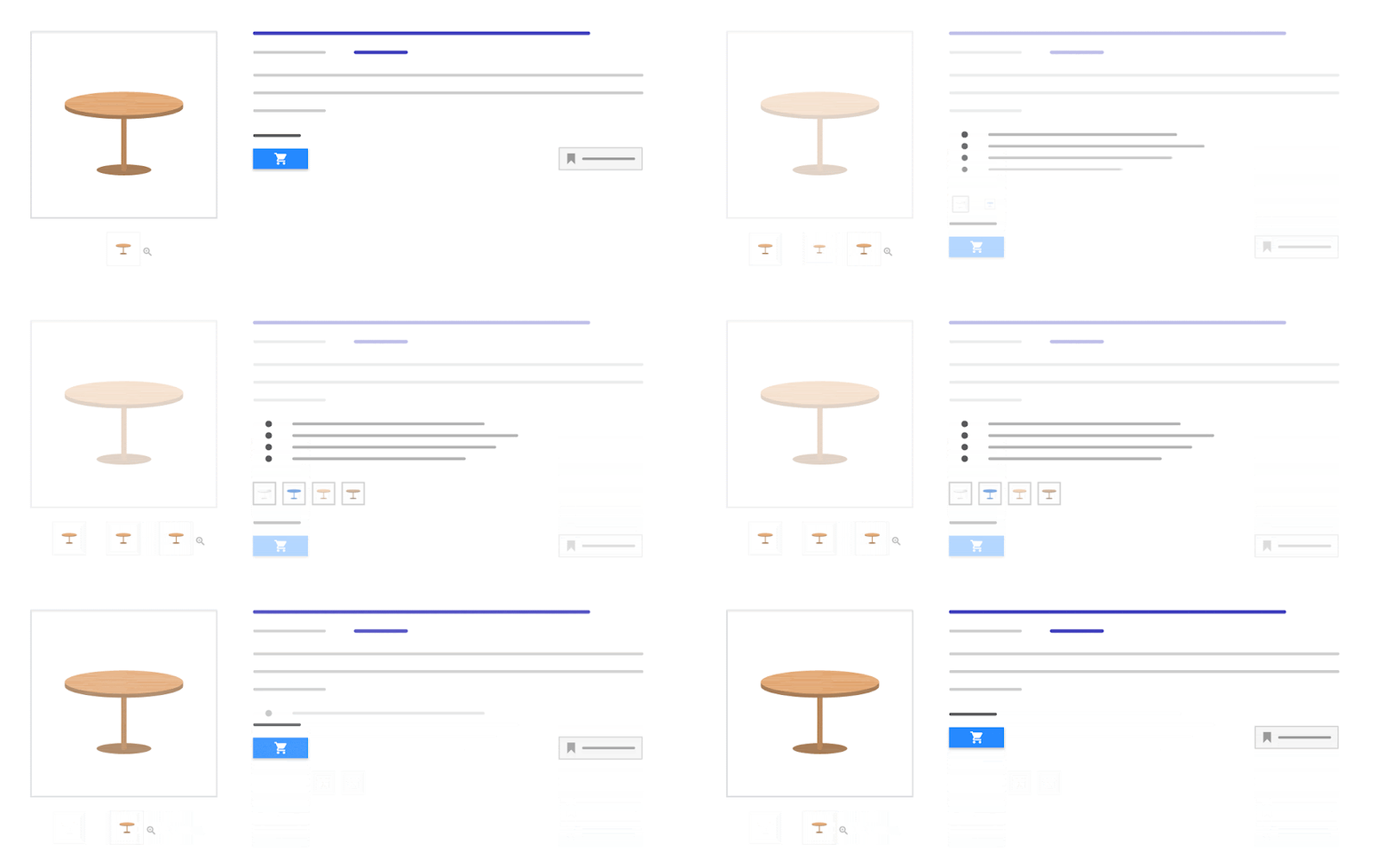
Highlights appear as a dedicated section on the expanded product listing in the Shopping tab, positioned between the description and technical specifications. Google typically displays 3 to 4 highlights in the initial view, with the rest visible after expansion. On mobile, they appear directly below the product image and price.
In Shopping Ads and Performance Max campaigns
In standard Shopping ads, highlights enrich the listing in detailed views. In feed-only Performance Max campaigns, they’re part of the product data Google uses to generate ads across all surfaces, Search, Display, YouTube, Discover, Gmail, and Maps. Since October 2024, PMax and Standard Shopping compete on equal Ad Rank footing, making feed quality decisive for both campaign types.
On AI-powered surfaces: the real stakes in 2026
This is where the attribute becomes genuinely strategic. AI Mode (powered by Gemini 2.5) breaks down conversational queries into subtopics and processes them in parallel. Conversational shopping queries are on average 23 times longer than traditional searches. Products whose highlights explicitly cover material, use case, compatibility, or context surface more readily in AI Mode’s shoppable image grids and comparison panels.
Shopping AI Overviews generate AI-written briefs explaining why a specific product is recommended, pulling directly from structured feed data, highlights included. A product whose highlights mention “waterproof” and “thermal insulation” is more likely to surface for a query like “winter jacket for rainy weather” than a product where that information exists only in the description.
Agentic Checkout (Google Pay + Gemini) and Business Agent, Google’s branded AI sales assistant launched in January 2026 for retailers like Lowe’s, both rely on the Shopping Graph (50+ billion listings, refreshed 2+ billion times per hour), which ingests all feed attributes including highlights as recommendation signals.
Product highlights and the Universal Commerce Protocol (UCP)
At NRF 2026 (January 2026), Google announced the Universal Commerce Protocol (UCP), an open standard co-developed with Shopify, Etsy, Wayfair, Target, and Walmart, and backed by Visa and Mastercard. UCP enables AI agents to handle complete transactions end-to-end, from product discovery through purchase, without routing through a traditional e-commerce site.
Google was explicit: the quality of your Merchant Center feed determines eligibility for the new UCP transactional flows. Products with incomplete data or missing attributes can be filtered out before they ever enter the agentic recommendation pipeline. From a generative engine optimization perspective, a product without well-structured highlights is a product an AI system cannot easily summarize, compare, or recommend with confidence.
How to write effective product highlights
The cardinal rule: benefit, not spec
An effective highlight answers an implicit buyer question or communicates a decisive purchase factor. It doesn’t describe a raw technical feature, it translates it into concrete utility.
- ❌ “100% cotton material” → ✅ “Soft breathable cotton with natural stretch”
- ❌ “4000 mAh battery” → ✅ “Full-day battery life, no mid-day charging”
- ❌ “IPX5 water resistance” → ✅ “Rain and splash-proof, built for outdoor use”
- ❌ “Dimensions: 40×30×10 cm” → ✅ “Carry-on size, fits standard overhead compartments”
What Google explicitly prohibits
- Promotional text: prices, sale dates, shipping information, company name
- ALL CAPS for emphasis (legitimate abbreviations like USB, LED, or ADHD are fine)
- Comparisons to other products or brands
- Category or taxonomy references
- Links to websites
- Keyword stuffing or SEO term accumulation
- Information about compatible accessories (those have their own attribute)
- Company history or business policies
Examples by vertical
Fashion / Apparel
- GOTS-certified organic cotton, soft and breathable
- Straight unisex cut, available from XS to 3XL
- 100% Vegan Leather, no animal materials
- Made with post-consumer recycled materials
- Machine washable at 30°C, low-maintenance care
Electronics
- 6GB RAM for smooth multitasking
- FHD+ AMOLED display, vivid colors, deep contrast
- 65W fast charging, 0 to 80% in 35 minutes
- Dual 48MP + 12MP camera for low-light photography
- 5G compatible, full-speed connectivity where available
Home / Furniture
- Solid oak frame, built to last
- Comfortably seats up to 6 people
- Assembles in under 30 minutes, hardware included
- Scratch-resistant finish for everyday use
- FSC-certified, wood from sustainably managed forests
Beauty / Skincare
- Paraben-free and sulfate-free formula
- Dermatologically tested, suitable for sensitive skin
- Non-comedogenic, won’t clog pores
- 72-hour long-lasting hold
- 100% recyclable packaging
Order and prioritization
Google may only display the first 3 to 4 highlights in the initial view. Lead with your most differentiating information. Don’t repeat data already present in the title or mandatory attributes (color, size) unless it adds meaningful context.
Technical implementation in the feed
XML feed
Use repeated <g:product_highlight> tags, one per highlight. UTF-8 encoding is required. CDATA sections can wrap values to avoid escaping special characters.
TSV feed / Google Sheets
Two options: comma-separated values in a single product_highlight column (values containing commas must be wrapped in straight double quotes), or multiple columns each named product_highlight with one value per column. Google Sheets connects directly to Merchant Center with 24-hour sync intervals.
Content API → Merchant API
The productHighlights field accepts a JSON array of strings via products.insert or products.update. Batch processing supports up to 1,000 recommended entries (50,000 hard max, 32MB per request). The Content API will be sunset on August 18, 2026 and replaced by the Merchant API, the productHighlights field is preserved in the new schema.
Supplemental feed
This is the recommended path for enriching an existing feed without modifying the primary feed. The supplemental feed matches on the id attribute and fully overrides (does not merge with) highlights from the primary feed. When multiple supplemental feeds update the same attribute, the last feed added takes precedence. Manual edits in the GMC interface override all feeds.
For merchants operating on a standard e-commerce CMS, a feed enrichment tool like Dataiads Feed Enrich allows you to add and manage highlights at catalog scale without touching the existing technical integration, particularly relevant for catalogs with thousands of SKUs.
Common errors and disapproval patterns
”Attribute has too few values” error
Triggered when product_highlight contains fewer than 2 values. This is almost always a formatting issue rather than a content problem. In tab-delimited feeds, incorrect quoting causes the system to parse all comma-separated highlights as a single value. To diagnose: in GMC, compare the “Final attributes” and “Raw feed attributes” sections to verify whether values are being parsed correctly.
Exceeding 150 characters
Google silently truncates or generates a warning. A truncated highlight can lose its entire meaning. Staying under 120 characters provides a comfortable buffer and avoids cut-offs on mobile displays.
Content policy violations
Promotional text, emphasis capitalization, competitor comparisons, and links trigger warnings or attribute removal. Google applies a severity hierarchy: red (product disabled), yellow (limited performance), blue (informational suggestion). Non-compliant highlights typically fall into the yellow category, products remain active but visibility is degraded.
Duplicate highlights or duplication with description
Frequently observed in large catalogs where highlights are auto-generated. Google penalizes information redundancy and favors product listings whose data fields are complementary rather than repetitive.
When product_highlight isn’t enough
- Multi-market catalogs: highlights are single-language per feed. Regional benefit variations (e.g., “waterproof” emphasized in the UK, “lightweight” in France) require localized feeds or locale-specific supplemental feeds.
- Highly technical products: precise specifications (dimensions, tolerances, regulatory certifications) are better served by
product_detailthan by benefit-oriented highlights. - Variants with identical highlights: if all variants of a product share the exact same highlights, the differentiating impact is zero. Tailoring highlights to each variant’s specific attributes (e.g., “Ultralight, ideal for hiking” vs. “Heavy-duty insulation, extreme cold”) maximizes per-query relevance.
- Large-scale unenriched catalogs: manually adding meaningful highlights for 10,000 SKUs isn’t realistic. AI-powered automated enrichment with human validation on priority categories is the only viable approach at scale.
Product highlights and feed quality score
Google Merchant Center surfaces a Click Potential indicator that estimates a product’s organic traffic potential based on the completeness and quality of its data. Products with LOW click potential and incomplete data are the first candidates for optimization. Adding relevant highlights improves this score, alongside title enrichment, high-resolution images, and accurate mandatory attribute values.
From a GEO (Generative Engine Optimization) standpoint, highlights represent content that AI systems can extract directly. A well-crafted 150-character fragment can be cited verbatim in an AI Overview response or an AI Mode comparison panel, whereas a 500-word description will be summarized or skipped entirely. For an AI agent comparing alternatives, the presence of structured highlights reduces ambiguity and increases the probability of being included in a generated response or transaction.
Key takeaways
- The
product_highlightattribute is optional in GMC but is becoming a determining visibility factor across AI surfaces (AI Mode, AI Overviews, Agentic Checkout). - 2 to 10 highlights per product, 150 characters max each, 4 to 6 is the practical sweet spot.
- Write with a consumer benefit orientation, not as a spec sheet or ad copy.
- The first 3 to 4 highlights are the most visible, lead with your key differentiators.
- A supplemental feed is the most flexible implementation path for enriching an existing feed.
- Merchant Center feed quality, highlights included, determines eligibility for UCP transactional flows launched in 2026.
- Large catalogs require an automated enrichment approach: manual optimization doesn’t scale beyond a few hundred SKUs.