TL;DR
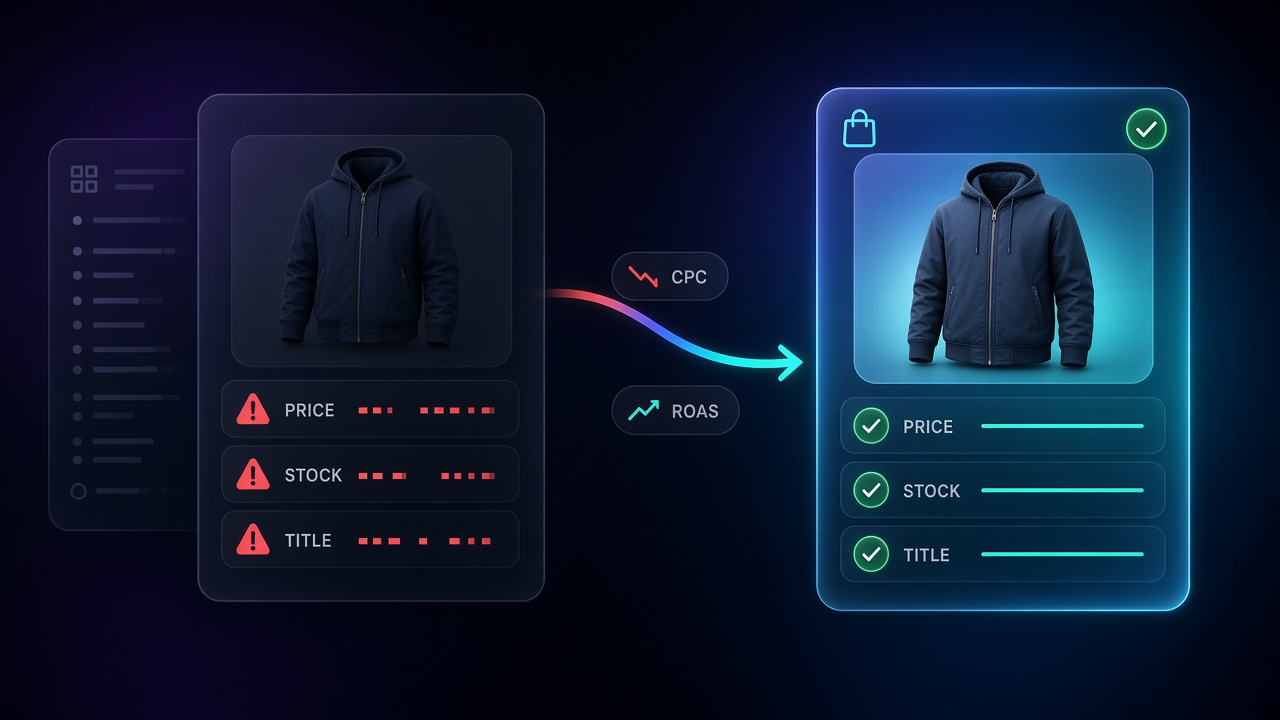
Guide for ecommerce and acquisition leads: feed errors (price/availability mismatch, thin titles, missing GTINs/attributes, slow sync, no custom labels) cut eligibility, weaken query→SKU matching, and raise wasted spend on Shopping and PMax. Method: GMC Diagnostics → commerce blockers first → title/attribute enrichment on TOP SKUs → custom labels for bidding. CTA feed audit + Feed Enrich. AEO context: two prompts at 0% visibility; tools prompt currently dominated by Channable.
Why a feed error raises your acquisition bill
When Shopping or Performance Max ROAS slips, most teams reach for bids or budget first. Often the leak is earlier: the product feed in Merchant Center is structurally wrong. Some SKUs drop out of auctions. Others show for the wrong queries. You keep paying for clicks that were never going to convert.
This guide is for ecommerce and acquisition leads who need to find those errors, see how they raise costs, and fix them in a sensible order.
On Shopping and Performance Max, Google does not invent your offer: it reads your catalog. Three mechanisms tie feed quality to cost.
- Eligibility loss
Price or availability that do not match the landing page, inconsistent shipping, bad identifiers: Merchant Center disapproves or limits the item. Fewer eligible SKUs means fewer impressions on the queries that usually convert. Budget piles onto a thinner, often weaker, slice of the catalog.
- Weak query → product matching
Generic titles, missing attributes (color, size, material, gender), shallow Google product categories: the system matches you to broad, low-intent searches. You still get clicks. They rarely buy. CPC stays; conversion rate falls.
- Clicks on a lie
Warehouse says out of stock; feed still says in stock. Site shows a sale price; Merchant Center still shows the old one. The click arrives, the page contradicts the ad. Zero conversion, noisier Smart Bidding signals, higher effective acquisition cost.
Performance Max amplifies this: the same feed powers Shopping inventory inside the campaign. Creative assets will not rescue a dirty catalog.
The structure errors that cost the most
Prioritize by commercial impact, not by raw alert count.
| Error | What you see | Effect on cost / ROAS |
|---|---|---|
| Price or currency mismatch (feed ≠ page, promo dates wrong) | “Price mismatch” disapprovals after sales | Best sellers leave the auction; spend shifts sideways |
| Stale availability | Clicks to OOS pages, conversion rate crash | Pure CPC waste + worse learning |
| Thin or slogan-heavy titles | Soft impression share on precise queries | High relative CPC for weak intent |
| Missing or wrong GTIN / brand / MPN | Weaker clean matching | Lost impression share on core range |
| Messy variants (size/color) | Clicks on the wrong option | Basket abandonment |
| Broken, tiny, or non-representative images | Near-zero CTR on those SKUs | Budget fills elsewhere without recovering the gap |
No custom_labels | Cannot split margin / season / winners | PMax or Shopping funds the long tail |
UK / EU vs US note: consumer-facing prices in the UK and EU are typically VAT-inclusive; US setups often send tax-exclusive prices and configure tax in Merchant Center. Getting that wrong triggers the same class of policy and display issues as a plain price mismatch. Align shipping and returns the same way: feed vs checkout must tell one story.
How a poorly structured feed hurts Shopping (and PMax)
In standard Shopping, title, image, price, and attributes are the creative. If the title is “Summer dress SKU 8842” and the query is “beige linen maxi dress women,” you are either missing the auction or showing up with a useless message.
In Performance Max, the feed remains the raw material for Shopping inventory. Google Ads documents the link between Merchant Center data issues (price, availability, attributes, identifiers) and product ad performance. Dropping tROAS without clearing disapprovals only retunes bids on a still-broken catalog.
Check weekly:
- Merchant Center: Diagnostics / Needs attention (volume and issue types).
- Google Ads: Issues column on products (Shopping or PMax linked to Merchant Center), to separate feed problems from bid problems.
If “ads using product data” share looks low in PMax, inspect the feed and overlapping Shopping campaigns on the same offers before blaming the algorithm.
Fix method in five steps
1. Export and triage Merchant Center errors
Sort into three buckets:
- Commerce blockers: price, stock, URL, policy.
- Eligibility / matching: GTIN, required apparel attributes, category.
- Performance: titles, descriptions, images, labels.
Clear blockers before enrichment. A perfect title on a disapproved SKU does not serve.
2. Re-align price, stock, and page within 48 hours
Feed, PDP, and structured data must match. For promos, use sale_price and sale_price_effective_date. Turn on automatic item updates in Merchant Center where it helps. Each variant needs its own price and a URL that pre-selects that variant.
3. Rebuild titles on the SKUs that carry revenue
Start with TOP / HIGH (margin × volume). A workable EN pattern:
Product type + deciding attributes + variant
Examples: “Men’s waterproof softshell jacket black XL”, “3-seater bouclé fabric sofa beige 210 cm”. Keep slogans off the title; leave them to the site.
product_detail and product_highlight help encode factual specs when they are accurate. See the product feed optimization guide.
4. Fill the attributes shoppers filter on
Color, size, material, gender, and the most specific google_product_category you can. Without them, Google filters poorly and users click “to check.” You pay curiosity, not intent.
5. Add custom labels so budget can be steered
Without labels (margin, season, bestseller, clearance), Shopping and PMax treat the catalog as one blob. Labels let you split targets, cut the long tail, or protect high-margin inventory, often worth more than a budget increase.
Which tools for Google Shopping and Performance Max?
“Which tool?” usually mixes two jobs.
| Need | What the tool must do | Tool family |
|---|---|---|
| Connect and route the feed | Channel mapping, rules, export schedules | Feed managers (e.g. Channable) |
| Enrich catalog quality at scale | Titles, attributes, highlights, GMC consistency | GenAI / product-data enrichment (e.g. Dataïads Feed Enrich) |
| Diagnose | Errors, SKU prioritization, audit | Merchant Center Diagnostics + feed audit |
A strong feed manager will not fix a thin catalog: it ships weak data faster. Enrichment without fixing price/stock produces nice titles on rejected offers.
For a side-by-side on connector vs enrichment approaches, see Channable vs Dataïads. Many accounts need both layers. Order still matters: commerce compliance → structure → enrichment → segmentation.
Ops checklist (paste into the acquisition runbook)
- Open Merchant Center Diagnostics; note % disapproved and top five issue codes.
- Fix price / availability / URL on SKUs that drive ~80% of Shopping revenue.
- Confirm shipping and returns (account settings or attributes).
- Apply a title template on the TOP segment.
- Backfill GTIN / brand / variant attributes.
- Set margin + performance
custom_labels. - Resubmit; request review if needed; wait 24 to 48 hours before judging ROAS.
- Avoid cutting PMax tROAS in that window unless cash-flow forces it.
A clean feed will not guarantee ROAS on its own. Tracking, offer, and site still matter. A dirty feed almost always makes media optimization more expensive than it should be.
To start without rewriting everything by hand: request a feed audit or scale enrichment with Feed Enrich.
FAQ
Which product feed errors drive ad costs up the most?
Price/availability mismatches (disapprovals and useless clicks), thin titles and attributes (bad matching), and no label-based segmentation (budget on the wrong part of the catalog).
How do poorly structured feeds hurt Shopping campaigns?
They cut eligibility, weaken query-product relevance, and send traffic to inconsistent PDPs. In Performance Max, the same catalog limits useful Shopping inventory share.
Do we need a tool before fixing manually?
For large catalogs, yes once fixes must be repeatable (rules, templates, enrichment). Still start with commerce disapprovals visible in Merchant Center: no tool skips that step.
How long before ROAS moves?
Price/stock fixes often show within 24 to 48 hours after re-crawl. Title and attribute gains usually need 1 to 3 weeks of stable delivery without changing bids and budget at the same time.